Scattered Files Start Small

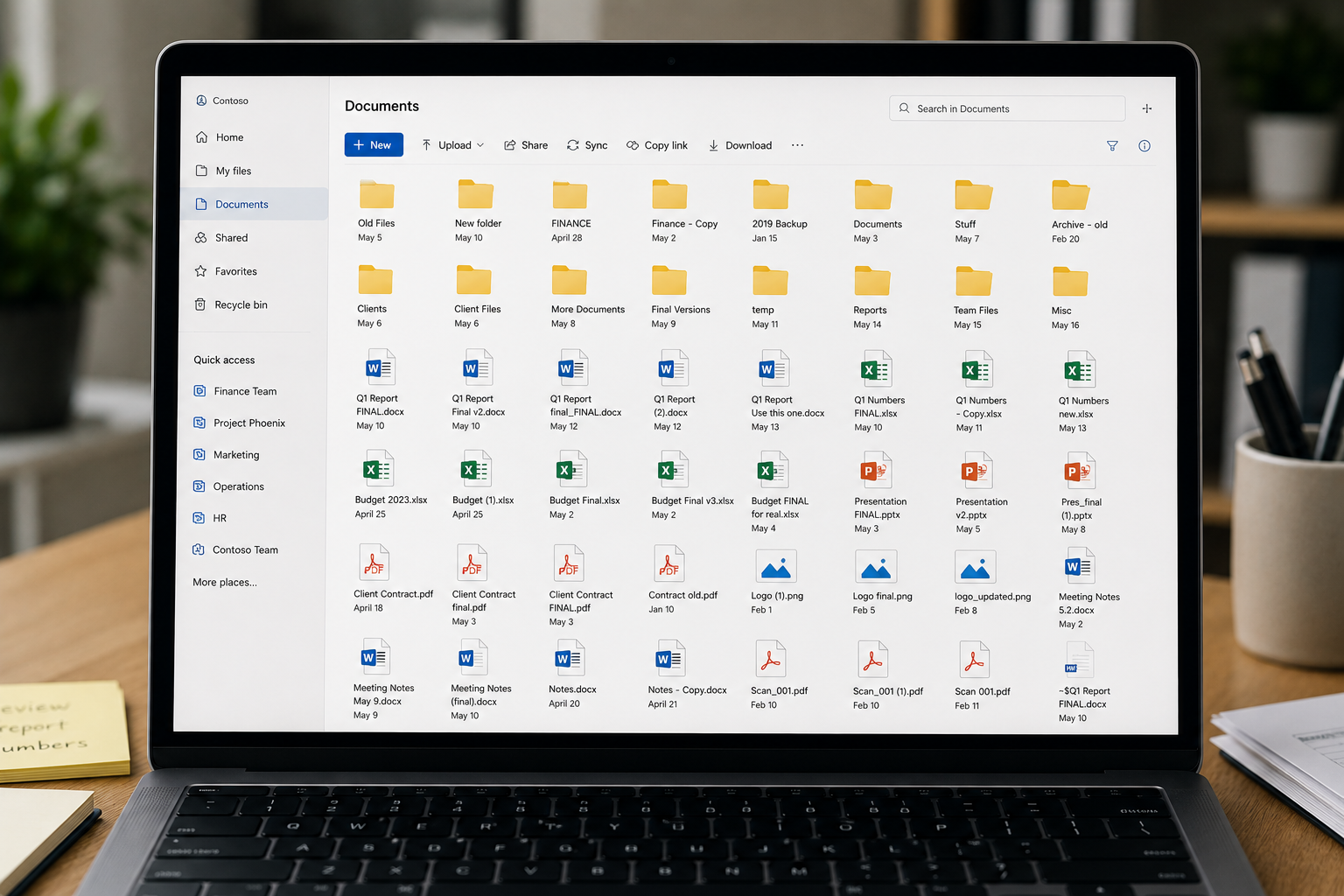
  • A folder gets copied.
  • A document gets saved in the fastest place.
  • A duplicate gets created because no one trusts the original.
  • A file gets shared by email because it is easier in the moment.


None of it feels like a big deal at first.

But over time, people stop trusting the structure.

That is when file storage becomes a daily drag.
Stored Does Not Mean Organized

Storage is not the same as structure.

  • Where should this file live?
  • Which version is correct?
  • Who should have access?
  • What should be archived?
  • Where should new files go?
  • How do we keep this clean?


That is the work this engagement is built to solve.

Built for the File Side of Microsoft 365

This engagement focuses on the file side of Microsoft 365:

SharePoint document libraries

OneDrive usage

Teams file storage

Collaborate securely

File servers and legacy folders

Embedded Analytics

File ownership, access and permissions guidance

Time tracking

Archive and cleanup planning

What We Put in Place

This is not just a report or a set of recommendations. You walk away with practical file structures, rules, and documentation your team can use and your IT team can help maintain.

You get

Organized file locations

SharePoint document library structure
Folder and naming standards
Permissions and ownership map
Cleanup and archive decisions
User file SOP
What it means
A defined structure for where files should live across SharePoint, OneDrive, Teams, and existing storage locations.
Document libraries organized around departments, functions, projects, or working groups
Rules for folder depth, naming, duplicate handling, archive areas, and version control
Clarity around who owns each file area, who should have access, and what should be restricted.
Documentation for what should stay active, what should be reorganized, and what should be archived.
Simple instructions for saving, finding, sharing, and maintaining files

When Files Are Only Part of the Problem

Choose the Full Microsoft 365 Focused Initiative if your organization also needs help with:

  • Teams communication
  • Chat, email, meetings, and tasks
  • Staff-wide Microsoft 365 education
  • Broader governance
  • AI, Copilot, or automation roadmap
  • Communication and file structure together

If the main issue is files, the Files-Only Engagement is the focused place to start.

FAQs

Is this just a consultation?
Do you replace our IT team?
What if we only need help with files?
Can this help with AI or Copilot?
How long does it take?
What exactly does Beco offer in terms of business consulting services?
How will Beco's consulting services benefit my business?
Can you provide examples of past successful projects or clients you've worked with?
How does Beco tailor its solutions to fit our unique business needs?
What is the typical timeline for implementing your consulting recommendations?
How does Beco measure the success of its consulting engagements?
How does Beco tailor its solutions to fit our unique business needs?
What is the typical timeline for implementing your consulting recommendations?
How does Beco measure the success of its consulting engagements?